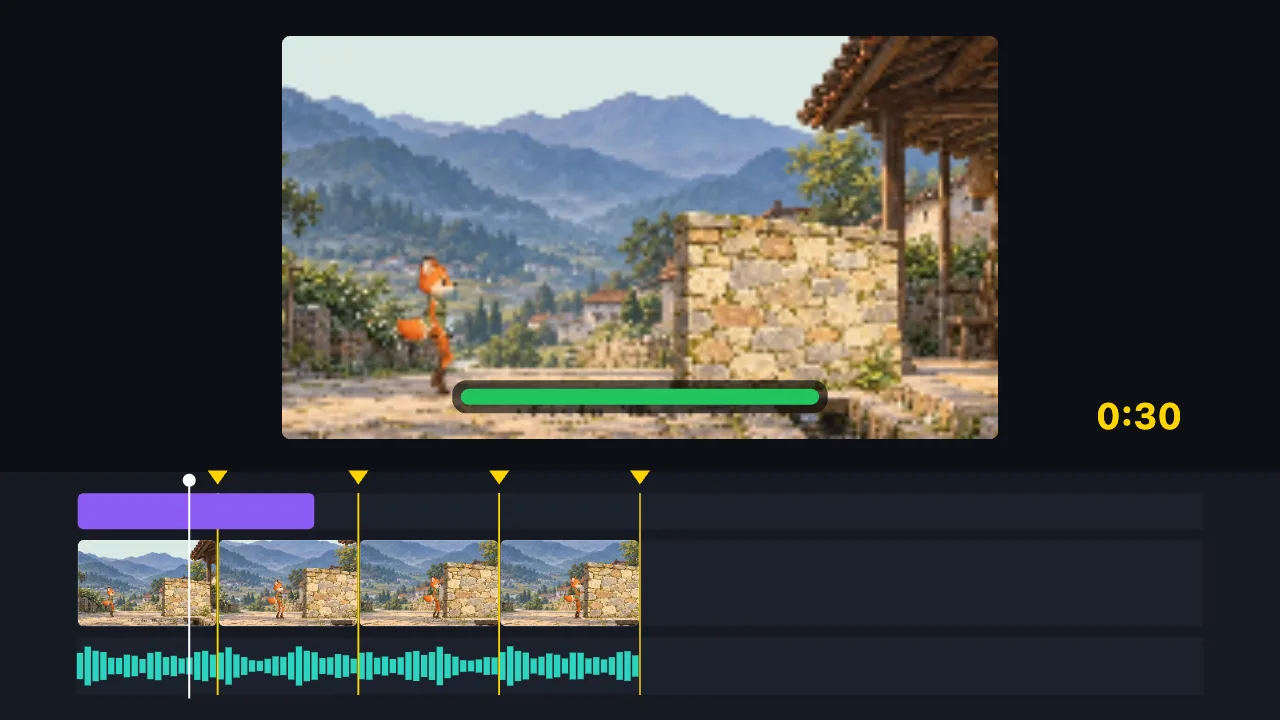
TutuCut ist ein kostenloser Online-Videoeditor, der im Browser läuft: schneiden, komprimieren, konvertieren, untertiteln, GIFs erstellen, Ton extrahieren. Ihr Video wird nie auf einen Server geladen, es gibt nichts zu installieren und kein Konto ist nötig. Exporte haben kein Wasserzeichen. Funktioniert auf Handy und Computer. Sie können auch die KI schneiden lassen – oder ganz ohne Material ein Video erstellen.
TutuCut läuft in Ihrem eigenen Browser. Video auswählen und loslegen: nichts zu installieren, kein Konto anzulegen, kein Wasserzeichen beim Export und keine Nutzungsbegrenzung.
Schneiden, Komprimieren und Konvertieren geschieht vollständig lokal, die Datei verlässt Ihr Gerät also nicht. Das heißt: keine Wartezeit für den Upload und keine vom Server gesetzte Größengrenze.
Sie können nicht schneiden? Macht nichts: Sagen Sie der KI einen Satz, und sie schneidet für Sie. Und wenn Sie gar kein Material haben, baut sie trotzdem direkt eine Animation: Grafikanimation, eine 3D-Szene oder eine Figur, die läuft und spricht. Wer selbst Web-Animationen schreibt, kann HTML-, Canvas- und Three.js-Code direkt auf die Zeitleiste legen und als MP4 exportieren.
Für Videogestaltung wie animierte Titel, Live-Bild-im-Bild-Fenster oder Fotowände müssen Sie weder After Effects öffnen noch wie bei Remotion Node.js installieren und React schreiben: Wählen Sie eine Motion-Vorlage und ziehen Sie Ihre Videos und Bilder in ihre Medienplätze, oder schreiben Sie ein paar Zeilen HTML, CSS oder GSAP. Die Animation liegt auf derselben Zeitleiste wie Ihr Video und wird als MP4 exportiert.
Mehr dazu →
- Ist es wirklich kostenlos? Gibt es ein Wasserzeichen?
- Ja, kostenlos, ohne Wasserzeichen beim Export und ohne Nutzungslimit. Alle 75 Videotools, KI-Schnitt und KI-Videoerstellung funktionieren ohne Konto. Nur zwei Dinge erfordern eine Anmeldung: Projekte in der Cloud speichern und KI-Funktionen, die über TutuDrive laufen (die KI Audio für Untertitel anhören lassen, erzeugte Bilder auf die Zeitleiste legen). Das KI-Nutzungskontingent ist das, was der Assistent anzeigt.
- Muss ich mich registrieren?
- Nein. Seite öffnen und loslegen; Ihr Projekt wird automatisch in Ihrem eigenen Browser gespeichert. Die Anmeldung dient nur dazu, Projekte in der Cloud zu speichern, auf einem anderen Gerät weiterzumachen und für die wenigen KI-Funktionen, die über TutuDrive laufen.
- Wird mein Video auf einen Server geladen?
- Nein. Schneiden, Komprimieren, Konvertieren und Exportieren passieren in Ihrem Browser, die Datei verlässt Ihr Gerät nie. Hochgeladen wird nur, wenn Sie bewusst „in der Cloud speichern“ wählen oder die KI einen Tonausschnitt anhören lassen — und dann nur in Ihr eigenes TutuDrive.
- Funktioniert es auf dem Handy? Mit denselben Funktionen?
- Ja, und mit denselben Funktionen. Zeitleiste, mehrere Spuren, Untertitel, Filter und Export laufen im mobilen Browser. Die zwei Unterschiede kommen vom Gerät selbst: Bildschirmaufnahme braucht getDisplayMedia, das mobile Browser nicht anbieten, deshalb ist die Schaltfläche dort ausgeblendet; und sehr große 4K-Dateien stoßen an den Arbeitsspeicher.
- Wie groß darf die Datei sein? Gibt es ein Zeitlimit?
- Wir setzen keinerlei Größen- oder Längenbegrenzung. Da lokal verarbeitet wird, ist die eigentliche Grenze der Arbeitsspeicher Ihres Geräts. Dateien von einigen hundert MB bis wenigen GB laufen meist problemlos. Passt es wirklich nicht, sagt die Seite das deutlich und bietet einen Ausweg – Ihr Projekt geht nicht verloren.
- Worin unterscheidet es sich von CapCut Web?
- Die Oberfläche orientiert sich eng an CapCut, kommt Ihnen also bekannt vor. Die Unterschiede: TutuCut verlangt kein Konto und setzt kein Wasserzeichen, und Ihr Video wird lokal verarbeitet statt hochgeladen.
- Welche Formate werden nicht unterstützt?
- WMV/ASF, FLV, RM/RMVB, MPEG-PS und DRM-geschützte Dateien lassen sich nicht öffnen. AVI öffnet zwar, aber Browser bieten dafür keine Hardware-Dekodierung, deshalb wird per Software transkodiert: etwa 1–3 Minuten pro Minute Video. MP4, MOV, MKV und WebM sind hardwarebeschleunigt und schnell.
- Was kann die KI nicht?
- Sie kann keine Realfilm-Aufnahmen echter Menschen aus dem Nichts erzeugen, kein unscharfes Video wieder scharf machen, kein vorhandenes Wasserzeichen aus einem Video entfernen und nicht erkennen, wer im Video zu sehen ist. Was sie kann: schneiden, untertiteln, Übergänge und Effekte setzen, Code-Animationen schreiben und auf der Stelle Grafikanimationen, 3D-Szenen und eine Figur zeichnen, die läuft und spricht.
- Kann ich eine Web-Animation oder Code in ein Video umwandeln?
- Ja. Fügen Sie eine Animation aus HTML, Canvas, SVG, GSAP oder Three.js in den Editor ein: Sie wird Bild für Bild als Motion-Clip auf der Zeitleiste gezeichnet, mit transparentem Hintergrund, über Ihr Video gelegt und als MP4 oder GIF exportiert. Sie können auch mit einer Text-, Daten- oder Bauchbinden-Vorlage starten oder die KI eine schreiben lassen.
- Kann die KI nur einen Abschnitt oder einen Bereich im Bild ändern?
- Ja. Wähle Clips in der Zeitleiste, zieh mit gedrückter Umschalttaste einen Zeitbereich auf dem Lineal oder markiere einen Bereich in der Vorschau – und sag der KI, was sich ändern soll. Sie schaut sich die Stelle zuerst an. Deine Markierung ist ein grober Hinweis: Wie weit die Änderung reichen muss, damit es natürlich aussieht, entscheidet die KI; sagst du „nur hier“, bleibt alles andere unangetastet. Ändert sie etwas außerhalb deiner Auswahl, sagt sie es dir, und ein Klick stellt den Stand vor der KI wieder her. Auf dem Handy: Lineal lange drücken oder im Bild ziehen.
- Können Motion-Clips meine eigenen Bilder, Videos und Schriften verwenden?
- Ja. Vorlagen mit Medienplätzen (Live-Bild-im-Bild, Fotowand, Geräte-Mockup, Bild-Text-Splitscreen …) nehmen Dateien per Drag-and-drop; wenn Sie Code schreiben, binden tutu-asset-Markierungen Bilder, Videos, GIFs und Schriften aus Ihrer Medienbibliothek ein. Bei einem Videofenster lässt sich „Mit Ton“ einschalten. Fehlt eine Datei, sehen Sie einen Platzhalter und einen Hinweis zum Neuverknüpfen, und der Export wird blockiert, statt eine Version mit fehlenden Bildern zu exportieren. Alles wird in Ihrem Browser verarbeitet, nie hochgeladen.